
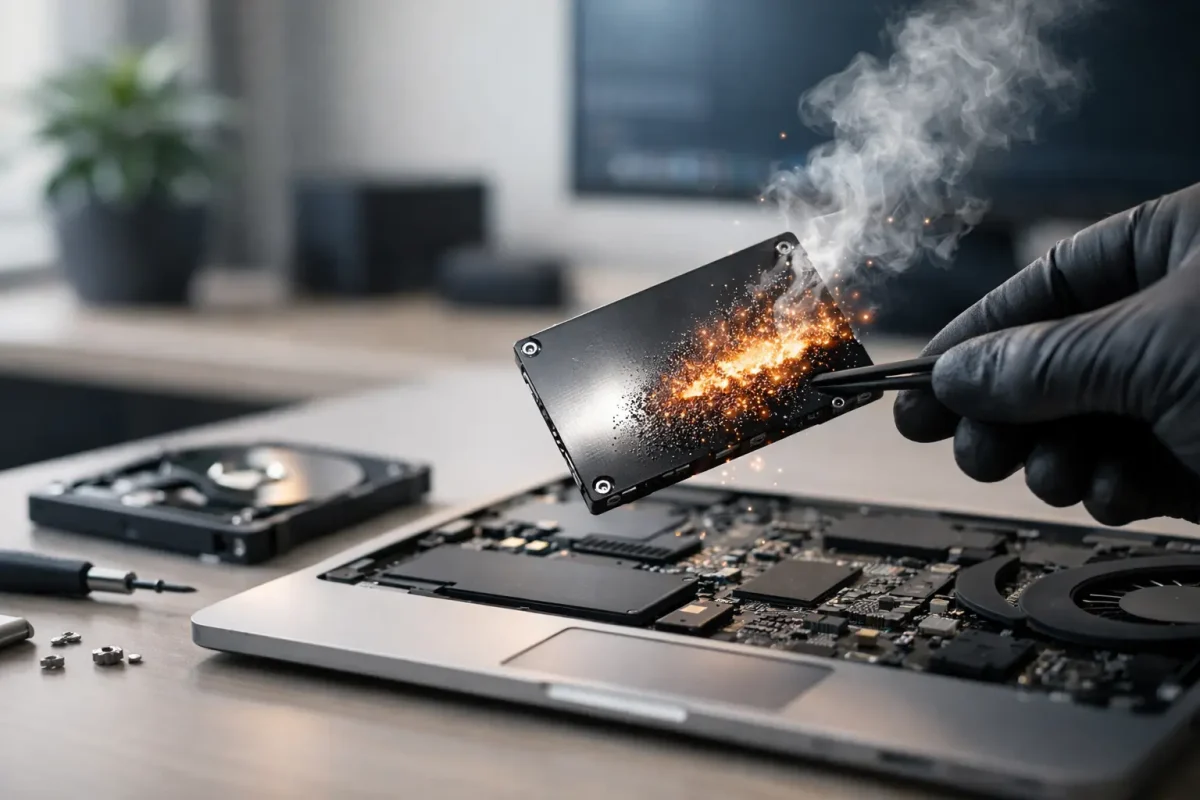
A computer can look empty while still holding years of private information. Browser sessions, saved passwords, tax files, customer records, cryptocurrency wallet artifacts, deleted photos, and cached documents may remain recoverable long after someone clicks “delete.” Permanent data removal for computers is the process of making that information inaccessible before a device changes hands, leaves a workplace, or is retired.
For individuals, the concern may be financial privacy or account security. For a business, one overlooked laptop can expose employee data, client information, intellectual property, or access credentials. The right approach depends on the device, the storage technology inside it, the data sensitivity involved, and whether the computer must remain usable afterward.
Why Deleting Files Is Not Permanent Data Removal
Deleting a file usually removes its reference from the operating system, not the data itself. Until the space is overwritten or cryptographically rendered unreadable, specialized recovery tools may be able to locate fragments of the original file. Emptying the Recycle Bin or Trash does not change that basic reality.
A standard factory reset can also fall short. Some resets reinstall the operating system but preserve recovery partitions, leave data in unallocated space, or depend on the drive type and reset option selected. This can be adequate for a low-risk personal device in some cases, but it should not be assumed to meet a serious privacy or compliance need.
The risk is broader than documents. Computers often retain browser cookies, autofill records, email archives, cloud-sync folders, system logs, application databases, and cached copies of files that were supposedly removed. If the computer has ever been used for crypto activity, residual data can include wallet files, seed phrase screenshots, exchange records, copied addresses, and recovery documents. A complete assessment considers all of these locations.
The Right Method Depends on the Drive
Permanent data removal is not a one-size-fits-all task. The method that works well for a traditional hard disk drive may be ineffective or inappropriate for a modern solid-state drive.
Hard Disk Drives
Traditional hard disk drives, or HDDs, store data magnetically on spinning platters. When a computer must be reused, controlled overwrite procedures can replace accessible data areas with new data. Depending on the risk level and applicable policies, a verified sanitization process may include multiple checks to confirm that the process completed successfully.
For highly sensitive information or a failed drive that cannot be reliably accessed, physical destruction may be the more defensible option. Destruction should be deliberate and documented, especially for business equipment. Simply drilling a visible hole through a drive or smashing the enclosure may not destroy every data-bearing component.
Solid-State Drives and NVMe Storage
SSDs, NVMe drives, and many newer laptops use flash memory. These devices manage data through wear-leveling and internal spare areas, meaning a conventional overwrite may not reach every location where data could reside. Repeatedly writing random data to an SSD can also create unnecessary wear without providing the expected assurance.
For supported SSDs, secure erase or cryptographic erase commands are often the preferred approach. Cryptographic erase invalidates the encryption keys used to read data, making encrypted information inaccessible. This is especially effective when full-disk encryption was enabled from the start and the device’s encryption implementation is functioning correctly.
If the drive is damaged, locked, unresponsive, or cannot complete a verified sanitization command, physical destruction may be necessary. A qualified technician can identify the storage type and recommend the method that matches the actual hardware rather than relying on generic software advice.
A Practical Process for Computer Data Sanitization
Before removing anything, determine whether the information is needed. This is where rushed decisions cause avoidable losses. A secure backup should be created and tested before sanitization begins, particularly when the device contains business records, family photos, legal documents, or financial files.
Next, inventory every storage location. That can include the internal drive, secondary drives, SD cards, USB devices, external backups, and encrypted partitions. In business environments, confirm whether data has synchronized to cloud services or shared folders. Removing local data does not remove copies stored elsewhere.
Then choose a sanitization strategy based on the device’s intended future. A computer being reassigned to another employee may require a verified secure erase and clean operating system installation. A device headed for resale may need account sign-outs, removal from device-management platforms, secure sanitization, and a fresh system setup. A failed computer with confidential data may require controlled physical destruction of the storage media.
Finally, document the outcome. For organizations, records should identify the device, serial number, storage type, sanitization method, date, responsible party, and verification result. This matters during audits, employee offboarding, asset disposal, incident response, and contractual reviews. It also provides accountability when equipment is handled by multiple teams or vendors.
Do Not Forget Accounts, Encryption, and Cloud Access
Data on the drive is only part of the security picture. Before selling, recycling, or transferring a computer, sign out of email, browsers, password managers, cloud storage, messaging apps, and cryptocurrency exchanges. Remove the device from trusted-device lists where applicable, revoke active sessions, and change passwords if there is any chance credentials were exposed.
Encryption is a major advantage, but it is not a substitute for a complete process. Full-disk encryption can dramatically reduce risk when a device is lost or stolen, particularly when paired with a strong password and secure key management. However, if the computer is still logged in, the recovery key is stored with the device, or the encryption was never fully enabled, sensitive information may remain exposed.
For crypto holders, extra caution is warranted. Never assume wiping a computer protects assets if a seed phrase, private key, or exchange password has already been copied elsewhere. If those credentials may have been viewed by an unauthorized person, move assets to a new wallet using a trusted, clean device and follow a documented security plan. Sanitization addresses the old computer. It does not reverse credential compromise.
When Professional Help Is the Safer Choice
A DIY reset may be reasonable for a low-value device containing no sensitive information. The decision changes when the computer contains financial data, regulated records, company credentials, evidence related to fraud, or cryptocurrency access information. It also changes when the drive is failing, encrypted, or technically difficult to identify.
Professional support can provide a controlled process: assess the device and storage media, preserve any data that must be retained, execute an appropriate sanitization method, verify the result, and document the work. For a suspected compromise, the order of operations matters. Wiping too early can destroy information needed to understand what happened, identify affected accounts, or support an authorized investigation.
Skyline Tech Support handles authorized data-removal cases with confidentiality, technical validation, and clear reporting. The goal is not simply to make files disappear from view. It is to reduce the realistic chance that sensitive information can be recovered or misused while protecting the data you are entitled to keep.
Frequently Asked Questions
Is a factory reset enough before selling a computer?
Sometimes, but not always. The answer depends on the operating system, reset option, storage type, encryption status, and sensitivity of the data. A factory reset is not the same as verified drive sanitization, especially for business devices and older HDD-based systems.
Can permanently removed data be recovered later?
A properly executed and verified sanitization process is designed to make recovery infeasible. That is why backups must be handled first. If you may need the data later, preserve it securely before removal begins.
Should I physically destroy an old computer?
Destroy the storage drive, not necessarily the entire computer, when the drive cannot be sanitized reliably or when policy requires destruction. The remaining hardware may still be recyclable or reusable once the data-bearing components have been handled safely.
What if the computer may have been hacked?
Do not immediately erase it if you need to investigate suspicious activity, recover data, or determine whether accounts were accessed. Disconnect it from networks when safe to do so and seek authorized technical guidance. Preserving evidence first can support a more accurate remediation plan.
The best time to plan permanent data removal is before a computer becomes an emergency. Treat every device transfer, employee departure, replacement cycle, and hardware failure as a security decision. A documented, verified process protects more than files – it protects the people, accounts, and business behind them.
